
— 06AI 学习资源
AI 剪辑工作流:ChatGPT × Gemini
这是我们内部使用的 AI 辅助影片制作方法论 —— 从口播脚本到风格拆解,再到 AI 生成与剪辑成片的完整流程。
流程总览
| 1 | 先自己录一段口播影片 | 把这条影片要表达的内容先讲清楚,作为后面生成影片的核心脚本 / Voiceover。 |
| 2 | 去 Pinterest 或 Instagram 找参考风格 | 找到你想要做成的视觉风格,例如画面质感、排版、颜色、转场、动态设计、整体 mood。 |
| 3 | 把参考影片丢进 ChatGPT 拆风格,再把 ChatGPT 给的 Prompt 丢进 Gemini Omni 生成影片 | 让 ChatGPT 分析参考影片的风格,并产出可执行的 Gemini Omni / Veo Prompt,最后用 Gemini Omni 分段生成影片。 |
阶段一:前期准备
- —录制口播旁白,作为核心脚本
- —从 Pinterest / Instagram 收集参考素材(3–5 个样本)
- —重点关注:画面质感、排版、色彩、转场、动态设计、整体氛围
阶段二:用 ChatGPT 拆解风格
将下面整段复制到 ChatGPT,同时上传你的参考影片 / 参考图 + 口播逐字稿。
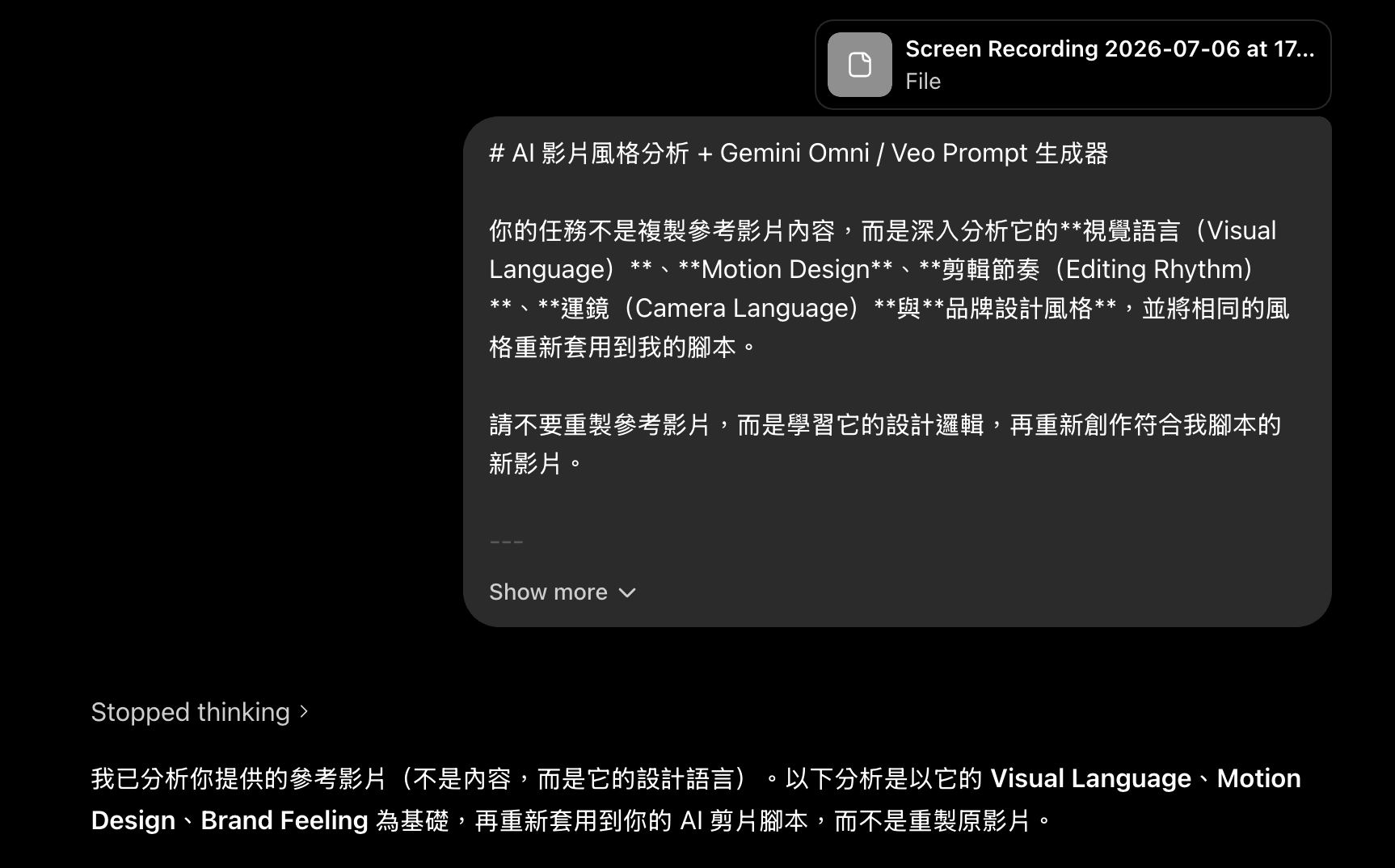
# AI 影片风格分析 + Gemini Omni / Veo Prompt 生成器

你的任务不是复制参考影片内容,而是深入分析它的**视觉语言(Visual Language)**、**Motion Design**、**剪辑节奏(Editing Rhythm)**、**运镜(Camera Language)**与**品牌设计风格**,并将相同的风格重新套用到我的脚本。

请不要重制参考影片,而是学习它的设计逻辑,再重新创作符合我脚本的新影片。

---

# Step 1|Reference Style Analysis

请完整分析参考影片,并深入拆解其 Motion Design Language。

## ① Animation Style(动画风格)

分析影片属于哪些风格:

- Live Action
- Motion Graphic
- 2D
- 3D
- Flat Design
- Glassmorphism
- Editorial Design
- Kinetic Typography
- UI Animation
- Mixed Media
- Apple Style
- Startup Branding
- Luxury Branding
- Minimal Design
- 其他可辨识风格

并分析:

- 整体视觉语言
- 设计理念
- 品牌广告感
- 社群短影音感
- 电影感
- 资讯设计比例
- 真人与 Motion Graphic 的融合方式

---

## ② Motion Design(动画设计)

请分析:

### 元素进场方式

例如:

- Fade
- Slide
- Scale
- Pop
- Zoom
- Blur In
- Rotate
- Mask Reveal
- Morph

描述:

- 哪些元素最常使用
- 哪些动画重复出现
- 是否具有品牌一致性

---

### 动画速度

分析:

- 快
- 中
- 慢

描述:

- 每个元素平均动画秒数
- 是否一致
- 是否有节奏变化

---

### Ease

分析:

- Ease In
- Ease Out
- Ease In Out
- Linear

---

### Overshoot / Bounce

分析:

- UI 是否有弹跳
- Icon 是否有 Bounce
- 人物是否保持自然
- 是否使用 Overshoot

---

### Secondary Motion

分析:

- 惯性
- Follow Through
- Motion Blur
- Parallax
- 微动态

---

### Motion Feeling

整体属于:

- Smooth
- Snappy
- Elegant
- Premium
- Startup
- Apple
- Editorial

---

# ③ Transition(转场)

分析影片常用转场:

- Hard Cut
- Match Cut
- Zoom
- Push
- Pull
- Blur
- Motion Blur
- Morph
- Camera Whip
- Scale
- Spin
- UI Expand
- UI Collapse
- Object Transition

请说明:

- 最常使用哪些
- 哪些适合重现
- 如何自然串接下一幕

---

# ④ Color System(色彩系统)

分析:

- 主色
- 辅助色
- 背景色
- 渐层
- 光线
- 阴影
- 发光效果
- 对比

请判断整体属于:

- Apple
- Luxury
- Korean Brand
- Startup
- Editorial
- Lifestyle
- Technology
- Minimal

---

# ⑤ Typography(字体)

分析:

## 字型

例如:

- SF Pro
- Pretendard
- SUIT
- Noto Sans
- 思源黑体

---

## 字重

- Light
- Regular
- Medium
- Bold
- Extra Bold

---

## 字体大小

分析:

- 主标
- 副标
- 说明文字

---

## 排版

分析:

- 左对齐
- 中置
- Editorial Layout
- 留白比例
- Grid System

---

## 动画方式

例如:

- Fade
- Slide
- Mask Reveal
- Character Animation
- Tracking Animation

---

## 特效

分析是否使用:

- 描边
- 阴影
- Glass Panel
- Background Box
- Glow

---

# ⑥ Camera(镜头)

分析:

- Static
- Push In
- Push Out
- Zoom
- Dolly
- Pan
- Tilt
- Orbit
- Parallax
- Handheld
- Shake

并分析:

- 镜头速度
- 景深
- 透视感
- Cinematic 程度

---

# ⑦ Editing Rhythm(剪辑节奏)

分析:

- 快慢
- 每秒资讯量
- Hook
- 停顿
- 加速点
- CTA 收尾方式

---

# ⑧ Sound Design(音效)

分析:

SFX:

- Whoosh
- Click
- Pop
- UI Sound
- Bass Hit
- Swipe
- Impact
- Glitch

背景音乐:

- Lo-fi
- Electronic
- Future Pop
- Cinematic
- Startup Branding

并分析:

- 情绪
- 节奏
- 是否有品牌感

---

# Step 2|拆分脚本

请依照脚本拆分成每段约 8–10 秒。

原因:

Gemini Omni / Veo 每段影片最长约 8–10 秒,因此:

- 每段皆可独立生成
- 每段自然衔接
- 不跨镜头
- 每段都有完整起承转合

请依序拆分:

Scene 1

Scene 2

Scene 3

……

直到脚本结束。

---

# Step 3|生成 Gemini Omni / Veo Prompt

请为每个 Scene 生成可直接使用于 Gemini Omni / Veo 的 Prompt。

每段需包含:

## Voiceover

填入对应旁白。

---

## On-screen Text

请提供画面文字。

规则:

- 每句最多 5–6 字
- 简洁
- 有力
- 适合短影音

---

## Gemini / Veo Prompt

请完整描述:

### 画面内容

包含:

- 人物
- 场景
- 物件
- UI
- 排版
- 动作

---

### Motion

描述:

- 元素如何进场
- 动画方式
- Ease
- Motion Blur
- Bounce
- Parallax
- Secondary Motion

---

### Visual Style

请完全保持参考影片:

- 色彩
- 光影
- 留白
- Typography
- Motion Design
- Glassmorphism
- Editorial
- Apple Style
- Startup Branding

---

### Camera

描述:

- Camera Movement
- Push
- Zoom
- Dolly
- Pan
- Tilt
- Static

---

### Transition

说明:

如何自然接到下一段。

---

### SFX

描述:

- Whoosh
- Click
- Pop
- UI Sound
- Bass
- Impact

以及:

Background Music Mood

---

# Step 4|最终输出格式

请全部依照以下格式输出:

# Reference Style Analysis

(完整分析)

---

# Scene 1(8–10 秒)

### Voiceover

(旁白)

### On-screen Text

(画面文字)

### Gemini / Veo Prompt

(完整 Prompt)

### Transition

(如何接下一段)

### SFX

(音效)

---

# Scene 2

(同样格式)

---

# Scene 3

(同样格式)

---

一直输出到脚本结束。

---

# 重要规则(非常重要)

请勿复制参考影片内容。

只学习:

- Visual Language
- Motion Design
- Typography
- Color System
- Editing Rhythm
- Camera Language
- UI Design
- Brand Feeling

最后生成的新影片,必须完全符合我的脚本,而不是重制参考影片。

---

# 我的脚本

(请将影片脚本贴在这里)
阶段三:Gemini Omni 影片生成(最终执行提示词)
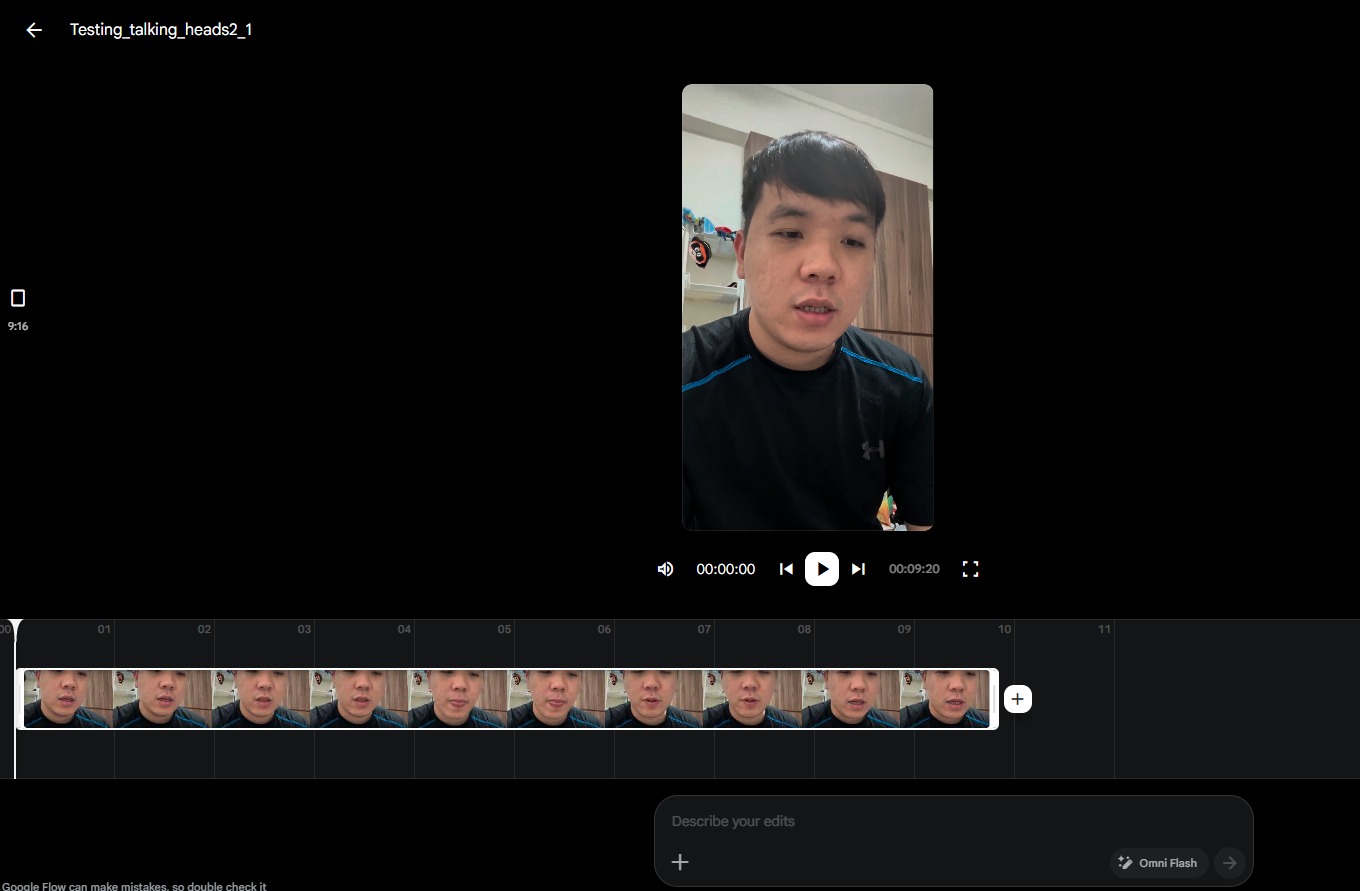
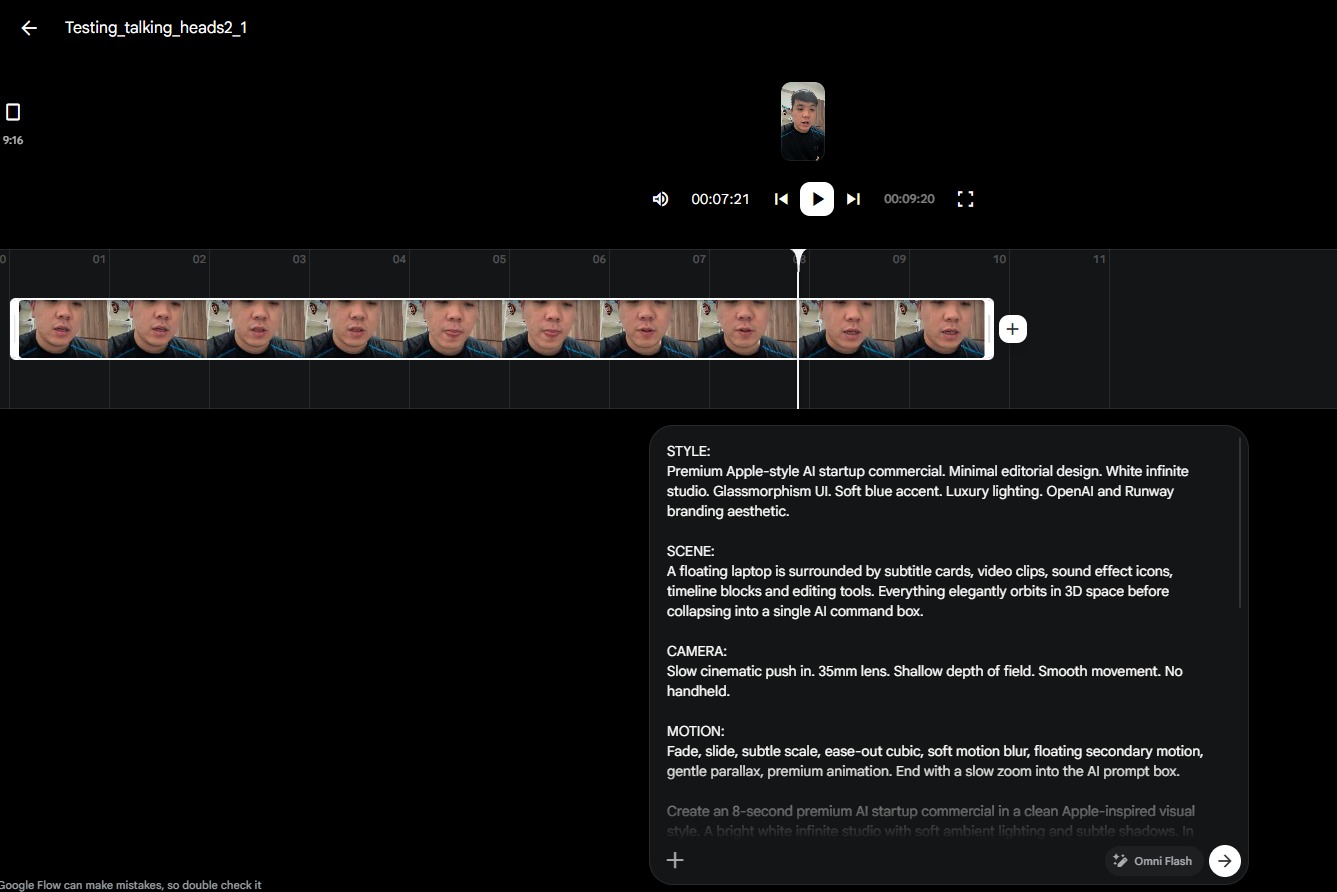
把 ChatGPT 产出的逐镜头提示词,连同原始口播影片一起提交给 Gemini(Omni Flash)。
⚠️ 注意:一次只能生成 10 秒 影片。分段生成,最后拿到任何剪辑软件里拼接、加上喜欢的音乐音效就完成了。
Voiceover

AI 剪片时代已经来临!

On-screen Text

AI 剪片

时代来了

Gemini / Veo Prompt

Minimal premium startup commercial. Bright white studio background with soft shadows. A modern laptop floats in the center while dozens of editing timeline layers, subtitle blocks, sound effect icons, and video clips orbit around it. Everything freezes for a split second, then dissolves into a single glowing AI command box. Editorial composition with generous white space, Apple-inspired UI, floating glass cards, monochrome palette with subtle blue accents. Motion uses fade + slide + slight scale (95%→100%), ease-out cubic, soft motion blur, subtle parallax, and gentle secondary floating animation. Camera performs a slow push-in with shallow depth of field. Premium AI branding aesthetic.

Transition

AI 指令框快速放大,画面填满后切到下一幕。

SFX

Soft whoosh、UI click、电子 Future Pop 音乐开始。

STYLE:
Premium Apple-style AI startup commercial. Minimal editorial design. White infinite studio. Glassmorphism UI. Soft blue accent. Luxury lighting. OpenAI and Runway branding aesthetic.

SCENE:
A floating laptop is surrounded by subtitle cards, video clips, sound effect icons, timeline blocks and editing tools. Everything elegantly orbits in 3D space before collapsing into a single AI command box.

CAMERA:
Slow cinematic push in. 35mm lens. Shallow depth of field. Smooth movement. No handheld.

MOTION:
Fade, slide, subtle scale, ease-out cubic, soft motion blur, floating secondary motion, gentle parallax, premium animation. End with a slow zoom into the AI prompt box.
阶段四:生成 Gemini / Veo Prompt
- —旁白:对应该场景的口播文案
- —画面文字:每行不超过 5–6 个字,简洁有力
- —Gemini / Veo Prompt:涵盖画面内容(人物、场景、物件、UI、构图、动作)、动效描述(入场方式、动画风格、缓动、动态模糊、回弹、视差、次级动效)、视觉风格延续(色彩、光效、留白、字体、动态设计、玻璃拟态、编辑感、苹果风、初创品牌风)、镜头运动(推、拉、变焦、移动、平移、俯仰、固定)、与下一场景的转场、音效与音乐氛围
核心原则
- —不要照搬参考内容 — 提炼其视觉语言与设计逻辑即可
- —学习设计原理,应用到你自己的原创脚本上
- —每个 AI 生成片段最长 10 秒
- —全片保持统一的视觉语言
- —最终把所有片段导入剪辑软件,加上音乐与音效完成整合
产出检查清单
- ✅旁白已录制,脚本已定稿
- ✅已收集 3–5 个参考风格样本
- ✅ChatGPT 分析已完成,并产出详细 Prompt
- ✅Gemini 片段已生成(每段 ≤10 秒)
- ✅已在剪辑软件中完成剪辑与配乐
- ✅全片视觉语言保持一致
想了解更多?聊聊你的项目需求WhatsApp 咨询→预约会议